SafeLens
An AR safety assistant for a university makerspace. It puts the checklist next to the machine, and when someone gets hurt it draws a path on the floor to the sink.
Safety rules in a makerspace live on wall posters and QR codes. Nobody reads them with their hands already on the machine.
The problem
Final project for 3D Interaction Design at Cornell Tech. We studied the CT MakerLAB and found two gaps. Safety information is passive, so nothing triggers it at the moment of use. And when something goes wrong, the first aid kit and the fire extinguisher are hard to find quickly.
SafeLens covers both. Preventive Mode brings the rules to the machine, Emergency Mode brings the room to the person.
What it does
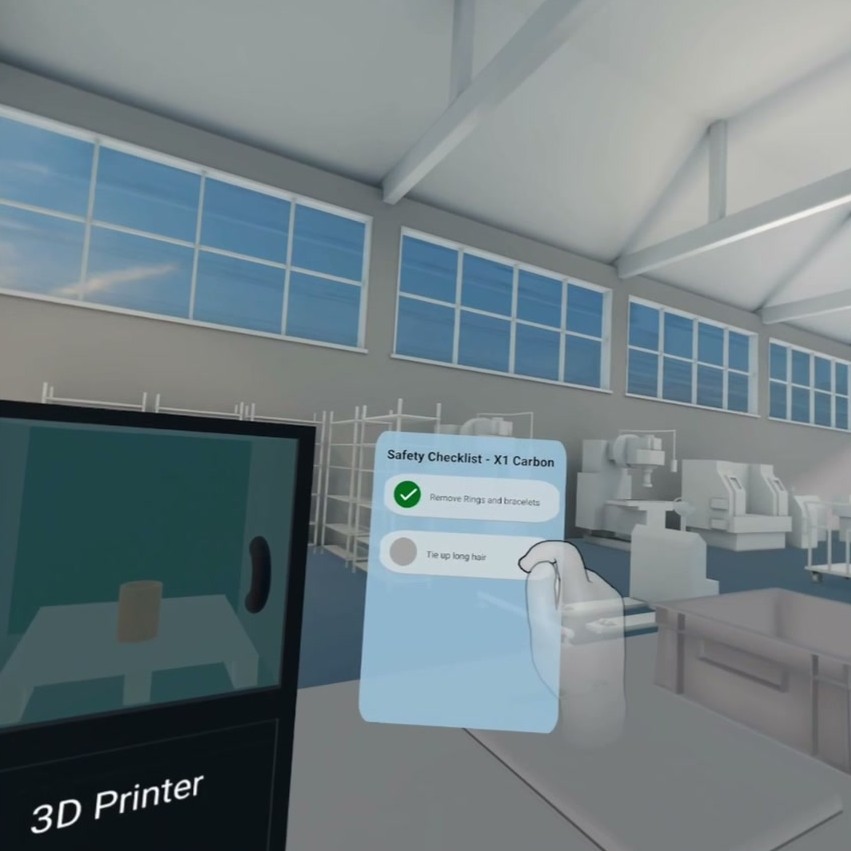
Walk up to a machine and a panel appears beside it with the checks for that machine. Remove rings, tie up hair, do not reach inside while printing. Tap each one to confirm. The list changes with the equipment in front of you, which a wall poster cannot do.
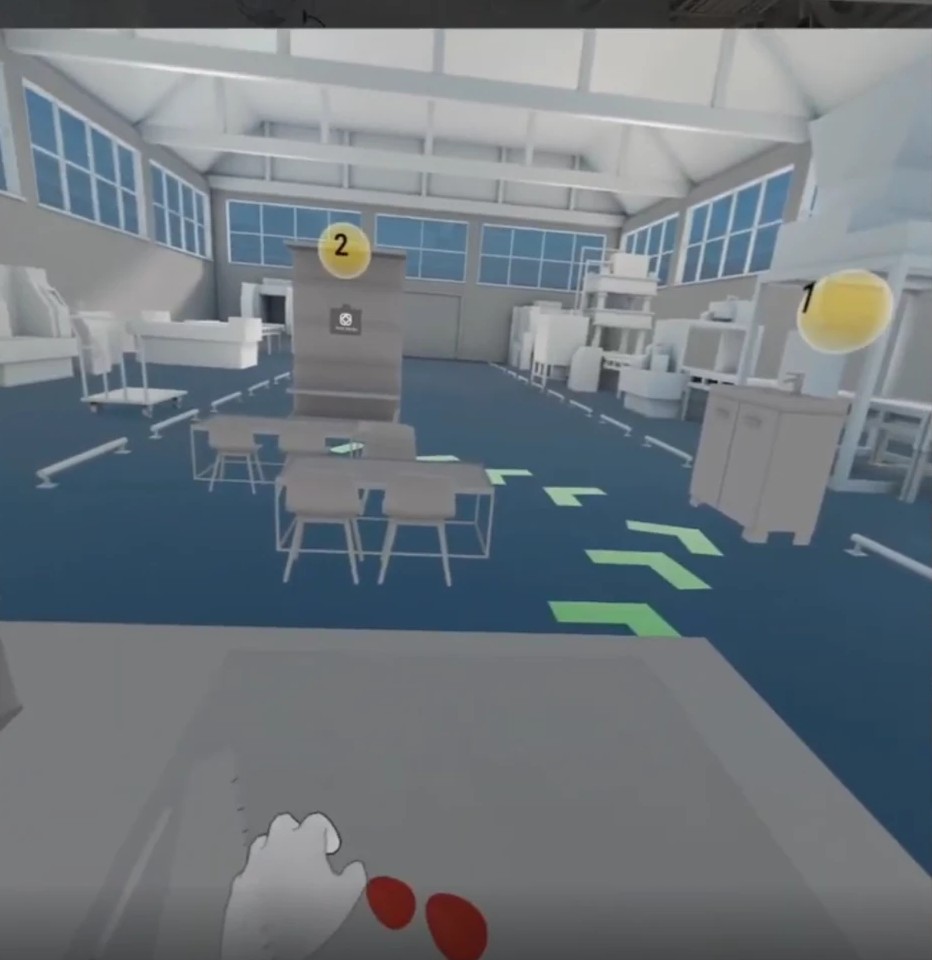
Cut yourself and your hands are busy, so the trigger is voice. Say “I cut my finger” and green arrows appear on the floor leading to the sink, then to the first aid kit, with numbered markers over each destination and a panel of instructions when you arrive.
Building it
Meta Orion glasses were not available to develop on, so I built the prototype in ShapesXR, rebuilding a stripped down MakerLAB in VR with the workbenches, a 3D printer, a sink and a first aid kit. The medium is VR, the interface is designed as AR.
I did the implementation end to end. The environment, the models in it, and the wiring that turns separate screens into one continuous walkthrough.
What testing changed
We walked participants through both scenarios. Three things broke.
The checklist felt like a chore, so it becomes an automatic scan that highlights the watch on your wrist rather than asking you to read a list. The path worked, but visual guidance alone is thin when someone is stressed and bleeding, so it needs voice running alongside. And at the first aid kit, text was not enough. It should highlight the item to pick up.